

When a company has several SO's on the same vessel, manifest number, date, master to and shipment arrival date can be copied from one SO to the others:
1. Go to SO and update one of the following: manifest number, manifest date, expected arrival date.
2. The following icon will appear flashing on the upper right hand side of the screen

3. Click on the icon. A pop up message will appear:
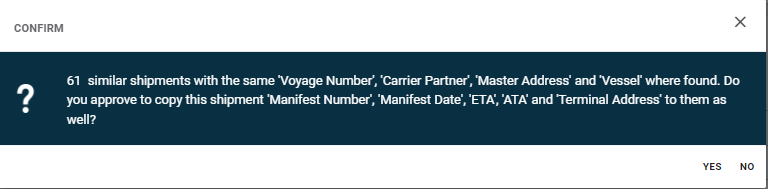
4. When clicking "yes", the system will copy those elements to the other SO's.
5. When clicking "no", data will not be copied to the other shipments.